


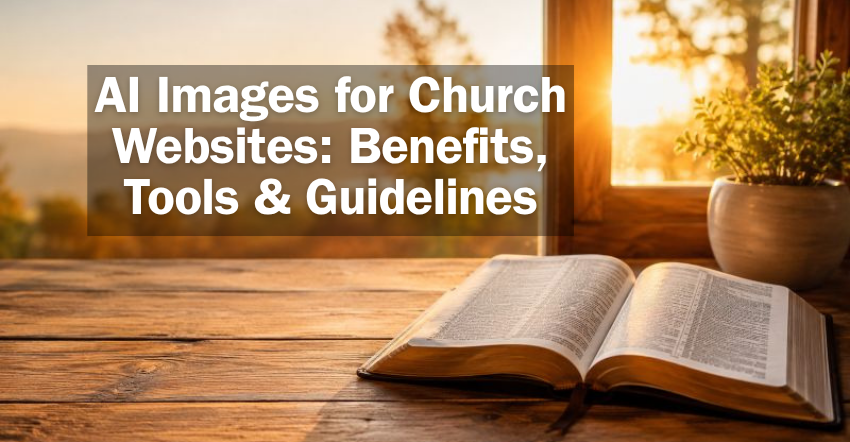
AI image generators have improved dramatically in recent years.
What once produced extra fingers, distorted objects, and obviously fake images can now generate beautiful, realistic-looking images in seconds.
That creates some exciting opportunities for churches.
- Need an image to illustrate a sermon about forgiveness? AI can create one.
- Want an image of an open Bible at sunrise for a blog article? AI can create that too.
- Need a custom visual for an Easter series without spending hours searching stock photo websites? AI may be able to help.
But there is also an important question churches need to consider:
Just because AI can create an image that looks real, should your church use it?
The answer depends largely on what the image is communicating.
In This Guide
- What Are AI-Generated Images?
- Benefits of Using AI Images on a Church Website
- AI Can Put Graphic Design Capabilities in Anyone’s Hands
- People Are Getting Better at Recognizing AI Images
- Don’t Use AI to Create a False Impression of Your Church
- Use AI to Illustrate, Not Impersonate
- Recommended AI Image Generators for Churches
- How to Write Better AI Image Prompts
- Review and Optimize AI Images Before Publishing
- Keep Authenticity at the Center
1. What Are AI-Generated Images?
AI image generators allow you to describe an image you would like to create using normal language.
For example, you might enter a prompt such as:
Create a peaceful photograph-style image of an open Bible on a wooden table near a window at sunrise. Warm natural lighting, 16:9 landscape format, with open space on the left for a headline.
The AI then generates a new image based on those instructions. Bam!
Click to share this image on Facebook, Twitter, Pinterest or Instagram
Thank you ChatGPT!
Many AI image tools can also edit existing images, change backgrounds, adjust the style, add or remove objects, and create different versions of the same idea.
This can save churches a tremendous amount of time when they need an image to communicate an idea or support a piece of content.
2. Benefits of Using AI Images on a Church Website
One of the biggest benefits of AI-generated images is flexibility.
Instead of searching through hundreds of stock photos hoping to find something close to what you have in mind, you can describe exactly what you want.
AI can be particularly useful for creating:
- Blog and sermon illustrations
- Biblical scenes
- Seasonal images for Christmas and Easter
- Background and decorative images
- Symbolic images representing ideas like hope, prayer, forgiveness, or spiritual growth
It can also help churches create images that are more specific and original than typical stock photography.
For example, instead of searching for a generic image about prayer, you might create an image with the exact setting, mood, composition, and aspect ratio needed for your website.
But thinking of AI simply as another source of pictures misses one of its biggest benefits…
3. AI Can Put Graphic Design Capabilities in Anyone’s Hands
Before AI image generators, creating a custom graphic often required graphic design software and the skills to use it.
You might need Photoshop or another graphic design program to remove a background, combine multiple images, create special effects, or build a promotional graphic from several different elements.
Today, many of those tasks can be accomplished simply by describing what you want.
Someone with little or no graphic design experience can use AI to create things such as:
A custom sermon series graphic
Prompt: Create one standalone image only, not a collage, infographic, comparison sheet, or multi-example layout. Make a professional church sermon series visual for “Walking by Faith.” Show a lone person walking along a gently winding path toward a bright sunrise on the horizon, symbolizing trust in God even when the destination is not fully visible. Use a cinematic but reverent style, warm golden morning light, natural landscape, subtle mist, and a hopeful atmosphere. Compose it as a 16:9 landscape image suitable for a church website, livestream thumbnail, and presentation slide. Keep the person small and secondary to the overall scene. Leave a clean, darker area on the left side for title text to be added later. Do not include any text in the image. No logos, watermarks, or artificial-looking religious effects.
An artistic illustration of a biblical scene
Prompt: Create one standalone 16:9 landscape illustration of Jesus teaching a small group on a hillside near the Sea of Galilee. Use a warm watercolor-and-gouache style with visible brush texture, natural earth tones, soft blue sky, and historically appropriate first-century clothing and landscape. Show Jesus seated slightly to the right, speaking to men, women, and children gathered naturally around Him. Keep the mood peaceful, reverent, and human rather than theatrical. Leave some open sky and landscape on the upper left for optional website text. Avoid halos, glowing supernatural effects, modern objects, text, logos, and photorealistic styling.
A promotional graphic for a church event
Prompt: Create one standalone promotional graphic for a church Vacation Bible School with the theme “Created for a Purpose.” Use a bright, welcoming illustrated style appropriate for elementary-age children, with adventurous outdoor imagery such as mountains, trees, a trail, compass elements, and cheerful children exploring together. Make the design energetic but not cluttered, with a strong central visual hierarchy and a clear area where event details could be added later. Compose it in 16:9 landscape format so it can work on a church website, presentation screen, and social media crop. Use bold shapes and friendly colors, but do not include any words, dates, logos, or fake church branding in the generated image.
AI Image Editing
As explained in How to Edit Photos for Your Church Website: 7 Easy Fixes Anyone Can Make, you can also use AI image tools to edit church photos.
Perhaps there’s a distracting garbage can, exit sign, or other object in an otherwise great photograph. Instead of learning how to remove it in Photoshop, you may be able to tell an AI tool, “Remove the garbage can and naturally fill in the background.”
Artistic AI Image Generation
You can also ask AI to transform an idea into a watercolor painting, pencil drawing, stained-glass style illustration, modern graphic, or other visual style.
In the past, many of these tasks would have required someone who understood layers, masking, cropping, compositing, filters, and other graphic design techniques.
Now you may be able to accomplish much of the same work by simply describing what you want.
That doesn’t mean AI eliminates the need for professional graphic designers. Experienced designers still bring creativity, branding expertise, consistency, judgment, and attention to detail that an AI tool cannot automatically provide.
But AI dramatically lowers the barrier to creating custom visuals.
For a small church without a graphic designer on staff, that can be a significant benefit.
4. People Are Getting Better at Recognizing AI Images
AI-generated images have become much more realistic, but don’t assume visitors won’t recognize them.
People have now seen thousands of AI-generated images on social media, websites, advertisements, and elsewhere online.
As a result, many people have developed a pretty good instinct for recognizing them.
There are still things about “photo-realistic” AI image that aren’t quite photo-realistic: faces that are a little too perfect, lighting that looks unnatural, people who all seem unusually photogenic, or a scene that seems too perfect.
Take a closer look at the image used for the background of the sermons series graphic earlier.
There’s something about the rocks and grass in the foreground that seem illustrated rather than natural, right?
That’s fine for the background of a sermon series graphic, because no one expects anyone to fly to the mountains and do photoshoot to create an authentic background image.
But if visitors see what appear to be an AI-generated photos where they expected to see actual members of your church, they may wonder:
Why didn’t they show pictures of their actual congregation?
Worse, some visitors may conclude that the church is trying to make itself look like something it isn’t.
Instead of making the church look more professional, an AI-generated image can make the church seem fake or disingenuous.
That is particularly problematic for churches because trust and authenticity are extremely important.
5. Don’t Use AI to Create a False Impression of Your Church
People visit a church website because they want to learn what the church is really like.
- They want to see the actual people.
- They want to see the actual building(s).
- They want to know what worship really looks like.
- They may want to see the children’s ministry, youth ministry, small groups, or other ministries they might participate in.
If your website shows AI-generated people and presents them as though they are members of your congregation, you are giving visitors a false impression of your church.
The same is true for facilities.
It’s one thing to adjust the brightness or contrast of a photo or remove something distracting from the background, but replacing the old carpeting from the 90s or swapping out pews for chairs…
That’s basically catfishing first-time visitors
Imagine what someone will think during their first visit when they realize your facilities aren’t what you show on your website.
The same principle applies to ministries.
Don’t generate an image showing dozens of teenagers worshipping together if your church doesn’t actually have a youth ministry like that.
Don’t generate a large children’s ministry, worship team, choir, food pantry, small group, or community outreach event and present it in a way that implies this is something happening at your church.
As we discussed in our article about using stock photos on a church website, visitors want to discover what your church is actually like. Photos of people who aren’t really part of the church can undermine that authenticity.
AI makes that temptation even greater because now you don’t even have to find the perfect stock photo.
You can manufacture the perfect congregation yourself.
Don’t.
6. Use AI to Illustrate, Not Impersonate
Here is a good rule of thumb:
Use AI to illustrate ideas. Don’t use AI to impersonate your church.
There is a huge difference between an AI-generated image illustrating prayer and an AI-generated image pretending to show your prayer ministry.
There is a difference between an artistic depiction of Jesus teaching His disciples and a fake photograph that appears to show people attending your Sunday service.
There is a difference between a peaceful AI-generated landscape behind a Scripture verse and a fake photograph of a church building visitors could assume is yours.
Before using an AI-generated image, ask yourself:
Could a reasonable visitor look at this image and think it shows our actual church, people, facilities, or ministries?
If the answer is yes, use a real photograph instead.
Visitors aren’t looking for a perfect church with perfect people.
They’re looking for an authentic church they can be authentic with.
7. Recommended AI Image Generators for Churches
There are now many AI image generation tools available. Here are a few worth considering.
ChatGPT Images
ChatGPT is one of the easiest options for people who are not professional designers.
All of the images in this article were generated with ChatGPT.
Another great feature of ChatGPT is if you don’t get the results you want on the first try, you can continue refining it the image by simply requesting changes like…
- Make the sunlight warmer.
- Leave more empty space on the left for text.
- Make this landscape instead of square.
This conversational approach can be especially helpful for church staff who aren’t AI prompt engineers or familiar with graphic design terminology.
Canva
Many churches already use Canva for social media images, worship graphics, sermon series, newsletters, and other communications.
Canva includes AI image-generation capabilities directly inside its design platform, allowing users to generate an image and then incorporate it into a larger design.
That can make Canva an especially convenient option for church communications teams already using the platform.
Google Gemini
Google Gemini also includes powerful AI image generation and editing capabilities.
Like ChatGPT, you can describe what you want conversationally and then continue asking for changes until the image is closer to what you have in mind.
AI tools are developing rapidly, so rather than becoming too committed to one platform, experiment with several and determine which one works best for your church and your workflow.
8. How to Write Better AI Image Prompts
The quality of an AI-generated image often depends on the quality of the prompt.
A vague prompt may produce a generic image. A more detailed prompt gives the AI better direction about what you want the image to show, how it should look, and how it will be used.
A helpful way to structure your prompt is to use this…
5-Part AI Framework for Generating Images:
- Subject — Describe the main focus of the image. Who or what should appear in it?
- Setting — Explain where the subject is located and what should be happening around it.
- Style — Specify the visual look you want, such as realistic photography, watercolor, illustration, cinematic, modern, or traditional.
- Lighting / Camera — Describe the mood, lighting, perspective, or photographic effect, such as warm sunrise light, soft natural lighting, close-up, wide angle, or shallow depth of field.
- Website Requirements — Tell the AI how the image will be used, including the aspect ratio, orientation, where you need open space for text, and anything that should not appear in the image.
For example, instead of simply prompting:
Create an image of an open Bible.
You could write:
Create a peaceful image of an open Bible resting on a wooden table near a window overlooking a quiet landscape. Use a realistic photography style with warm golden sunrise light, soft natural shadows, and a slightly shallow depth of field. Compose the image in a 16:9 landscape format for a church website, with generous open space on the left for a headline. Do not include any text, logos, or watermarks.
The more clearly you communicate what you want, the more likely the AI is to generate an image that fits your church website without requiring extensive editing.
And as we discussed earlier, if the first image isn’t quite right, you usually don’t need to start over. Tell the AI what you want changed and continue refining it.
9. Review and Optimize AI Images Before Publishing
AI still makes mistakes, so check faces, hands, objects, text, religious symbols, and other important details before publishing. (Yes, AI image generators sometimes misspell or leave out words)
More importantly, make sure the image doesn’t create a misleading impression about your church.
Also remember that AI-generated images can be much larger than necessary for a website. Resize and compress them before uploading them.
For more information, see our article How to Optimize Church Website Images for Faster Load Times and Better Search Rankings.
10. Keep Authenticity at the Center
AI is an excellent tool for creating illustrations and custom graphics, but it shouldn’t replace genuine photos when visitors are trying to see what your church is really like.
Use real photos to show people what your church is like. Use AI-generated images to illustrate ideas, themes, and concepts. -Paul Steinbrueck
[Insert quote image]
Need Help Improving Your Church Website and Outreach?
Your church website should look great, communicate clearly, load quickly, and give visitors an authentic picture of your church.
OurChurch.com’s church website design and search engine marketing teams help churches improve their websites and outreach so they can connect with more people and live out their mission online.
Interested in working with our team? We’d love to talk with you.
Complete the form below (mobile) or to the right (desktop) to schedule a discovery call.
Post a Comment and Discuss:
- What was the most helpful part of this AI Image Guide for you?
- What other AI image advise would you give?
- What questions do you have?
Read more articles about Church Website Photography
Co-founder & CEO, OurChurch.Com
Paul has been the CEO of OurChurch.Com since its founding in 1996, combining his passion for faith and technology to lead the organization.
An accomplished writer, Paul has authored over 2,000 articles on faith and technology, featured on platforms like ChurchLeaders.com, The JoyFM, and his personal blog, LiveIntentionally.org.
Beyond his professional achievements, Paul serves as an elder at Journey Community Church and is deeply engaged in his community through his involvement with the Florida Sheriffs Youth Ranch and the Safety Harbor Chamber of Commerce. He is a contributing author of the book Outspoken! Conversations on Church Communication.
